
Spline Mesher - Pro

3.2.Spline Fill Mesher

This component is the front-end for generating a fill mesh from a spline. A fill mesh is a mesh made out of equilateral triangles (all 3 sides the same length), where vertices near the spline curve are snapped to it.
To create one go to GameObject->Spline->Mesh->Fill
Topology
The options here first and foremost determine the size of the triangles. Use the largest possible size, until noticeable gaps start to show around the curve.
The Snap To Knot option will snap a vertex to the nearest Linear knot
Displacement
There is a lot of creative control over the height of the vertices. Each vertex knows its distance to the spline curve, allowing for a gradual falloff
It’s important to understand that a Fill Mesh is technically a 2D mesh. An attempt is be made to respect height changes along the spline curve and make the vertices gradually meet it. But the tool is not comparable to true NURBS modeling.
The limitations of that do show in the center of the mesh, where the nearest spline point is suddenly on the other side, creating an abrupt change in height:
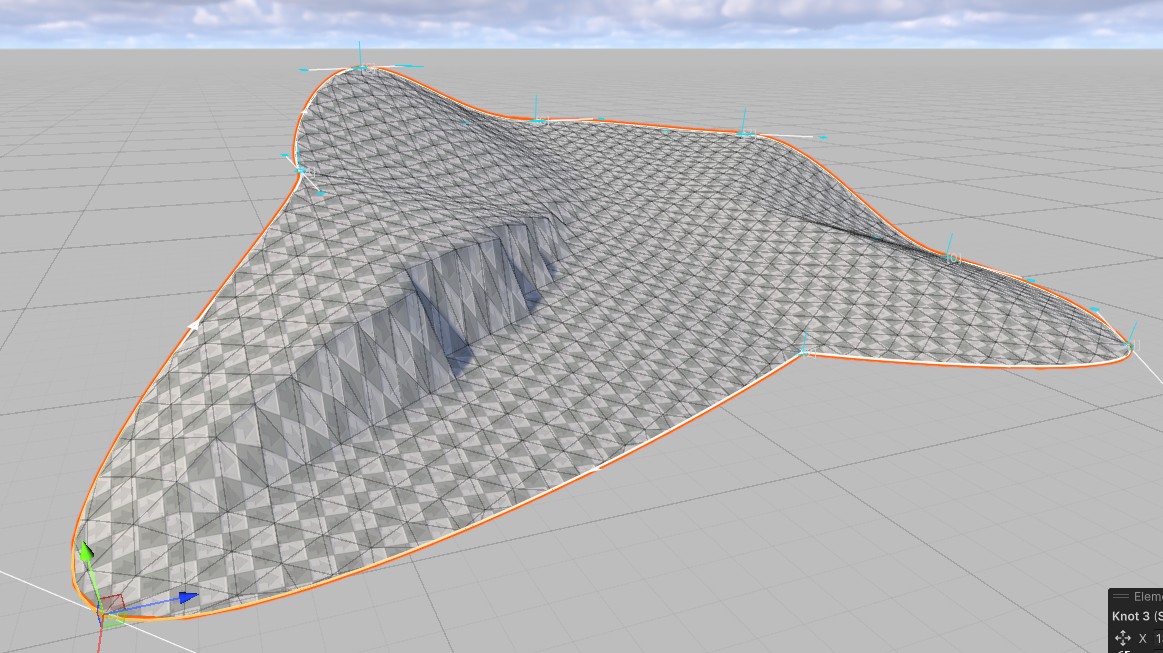
This can be mitigated using the Flattening Falloff parameter to some extent.
Extruding
You can absolute use both a Fill Mesher and Curve Mesher combined to create these particular type of islands.
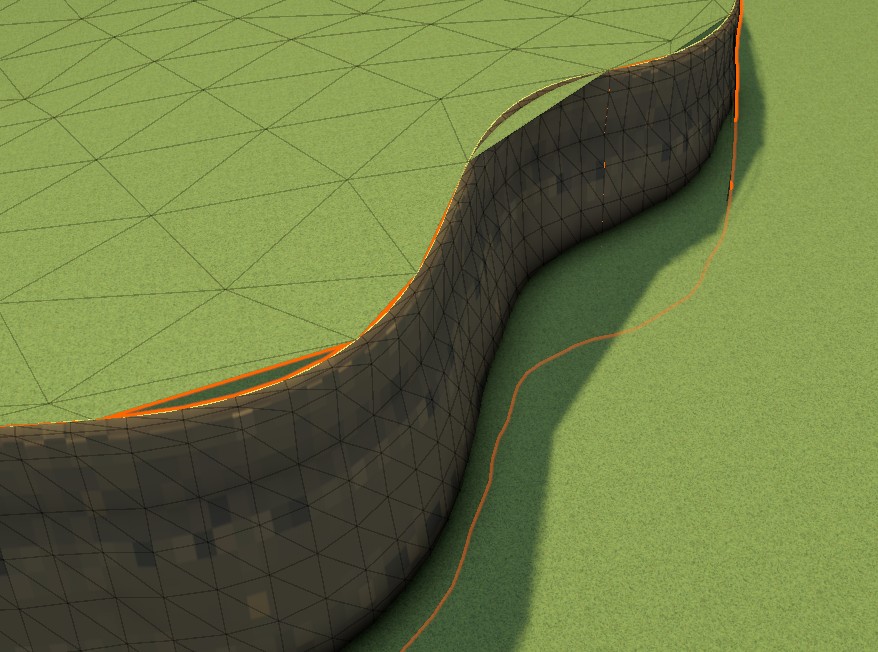
Though because both use a very different topology these sort of cracks can occur. This is unavoidable without functionality dedicated to the task “Extruding” may allow a Fill Meshes to also generate a wall from its edge vertices.
For the time being, decreasing the Triangle size until the gaps close is a viable solution.
 Was this helpful?