
Spline Mesher - Pro

3.1.Spline Curve Mesher

This component takes an input Mesh and repeats and bends it along the splines in the assigned Spline Container.
Input Mesh
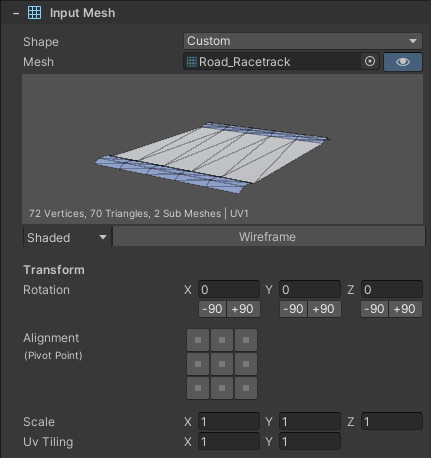
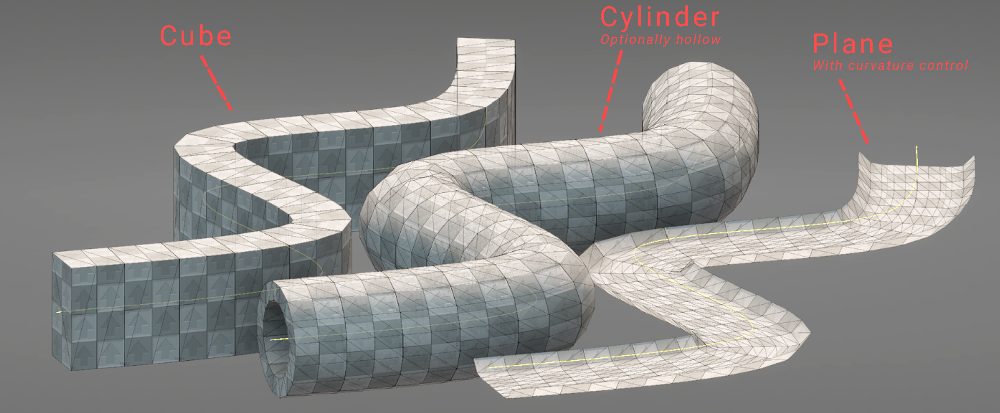
Both a Custom mesh and a Primitive shape can be used here.
Distribution
The assigned input mesh is measured along the z-axis/blue arrow to calculate its length. This determines how many segments can be distributed along a spline. Alternatively, if the Auto button is disabled a specific amount of segments can be used.
For example, a 3m long pipe, results in 10 segments when distributed along a 30m long spline curve.
However, there will be many cases where an uneven number of segments end up being calculated.
The Scale To Fit and Even Only options determine what happens in those cases.
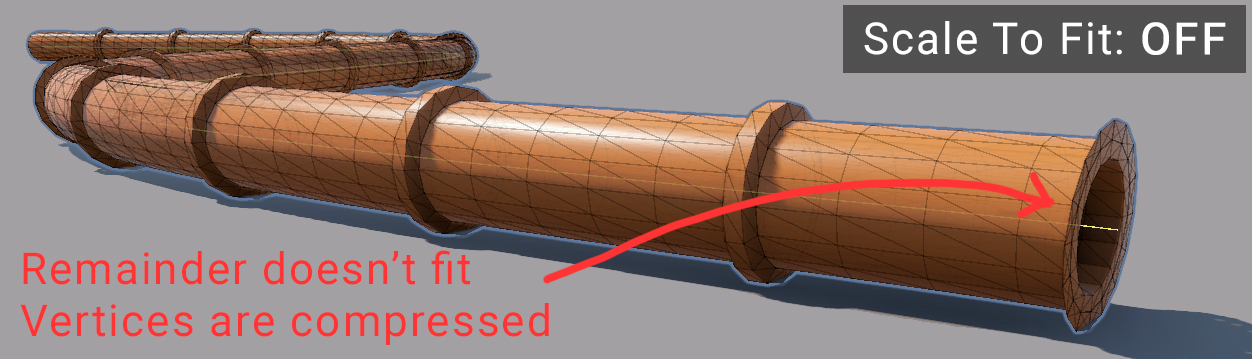
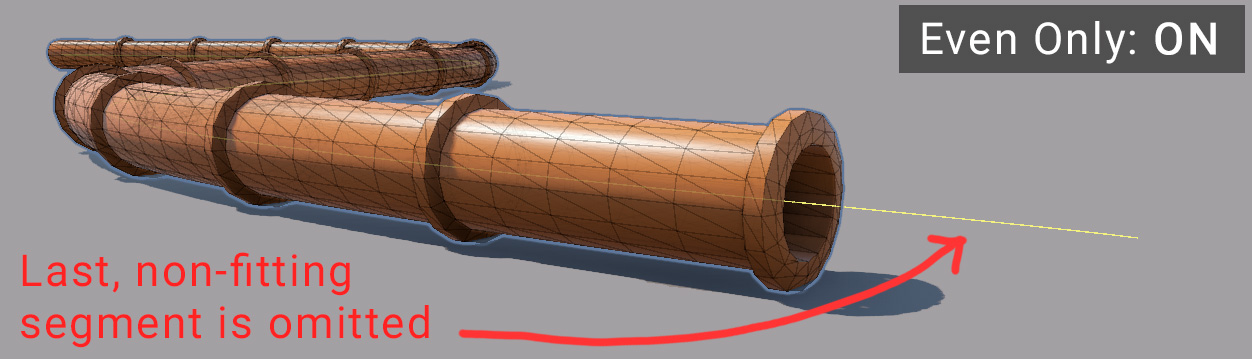
Take this 50m long spline, with a 3m long pipe mesh. It results in 16.6 segments. The last segment gets compressed and cut off, which isn’t desirable. If it is critical that the input mesh doesn’t get scaled, then this is a compromise to accept.
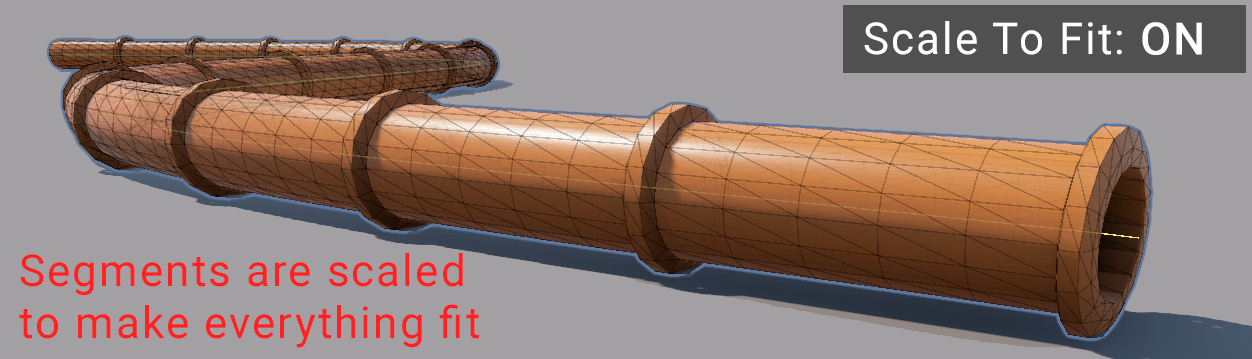
Enabling Stretch To Fit will scale all the segments down enough so that 16 full segments fit on the spline.
Alternatively, enabling Even Only will simply omit the last (not fitting) segment entirely.
Collision
Here you can enable the generation of a collider meshes. Likewise, a custom or primitive shape can be chosen.
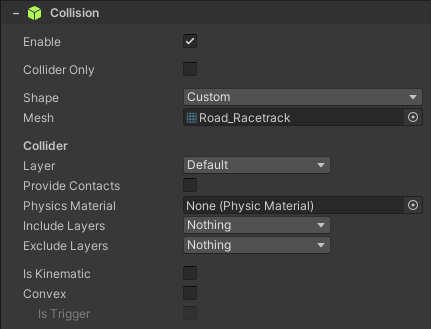
If need collider interaction with RigidBodies, enable the Is Kinematic option.
Output
An important setting to understand is Segmenting, which controls how the generated mesh is divided into smaller sections.
For long splines that span large distances, segmenting is essential. Instead of producing a single large mesh, the system splits it into multiple segments. This allows Unity to cull and render only the visible portions, improving overall performance. Additionally, when using colliders the collision meshes are smaller, which greatly reduces physics complexity.
Segmenting also enables parallel mesh generation. Each segment can be built on a separate thread, meaning generation scales with the number of segments. For example, a spline mesh with two segments can generate roughly twice as fast as a single, unsegmented mesh.
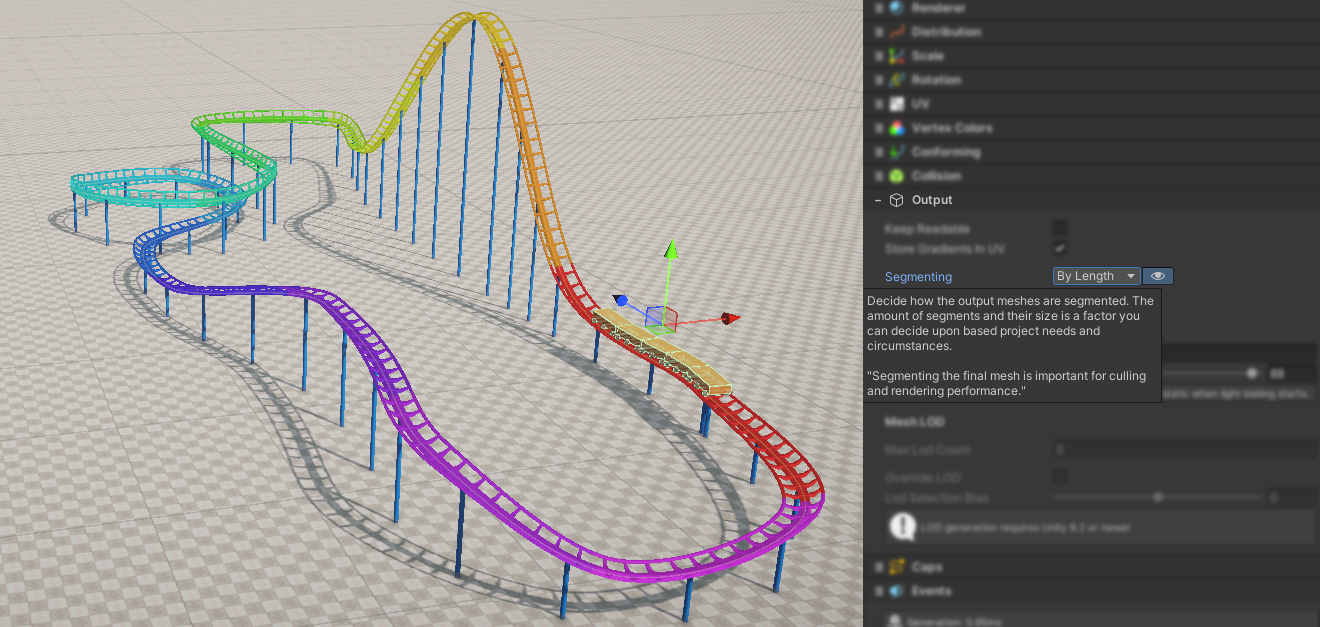
Toggle the “eye” icon to visualize each segment with a unique color
There are a few options available:
| Option | Description |
|---|---|
| By Length | Splits up the mesh when this length is reached. Note that a segment may not be this exact length, due to scaling and rounding |
| Every Tile | Every individual tile becomes a segment. This is very useful if you want them to become separate GameObjects, for instance to make a breakable fence. |
| Specific | Allows specifying a specific segment count |
| None | No segmenting is performed, the output becomes one single mesh.
Note that this puts a limit on a maximum possible triangle count of 65k triangles. |
 Was this helpful?