
Stylized Grass Shader (Unity 6)
8.Using custom meshes

The package includes several pre-made grass prefabs, ready to use. If you’re looking to use your own grass meshes, or ones from other asset store packages, that is possible as well!
Mesh Requirements
For the shading and animations to function properly, part of the mesh must have vertex colors painted into it. The color should represent a vertical gradient.
This gradient is used:
- To keep the base of the mesh rooted, unaffected by wind or bending.
- As a mask for the Ambient Occlusion and Color Map Height material parameters.
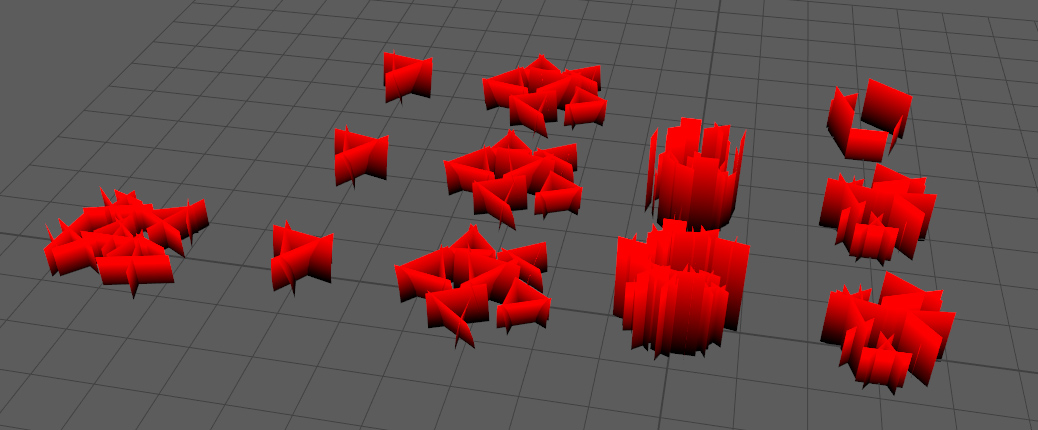
On the grass material itself you can specify which color channel should be used for: shading, wind & bending. Though typically, you can use a simple gradient in the Red channel for everything (default configuration).
Converting prefabs
This asset ships with a utility that can automatically store this vertical gradient into any mesh. Better yet, it can do this and update prefabs to use this updated mesh.
Go to Window->Stylized Grass->Prefab Converter
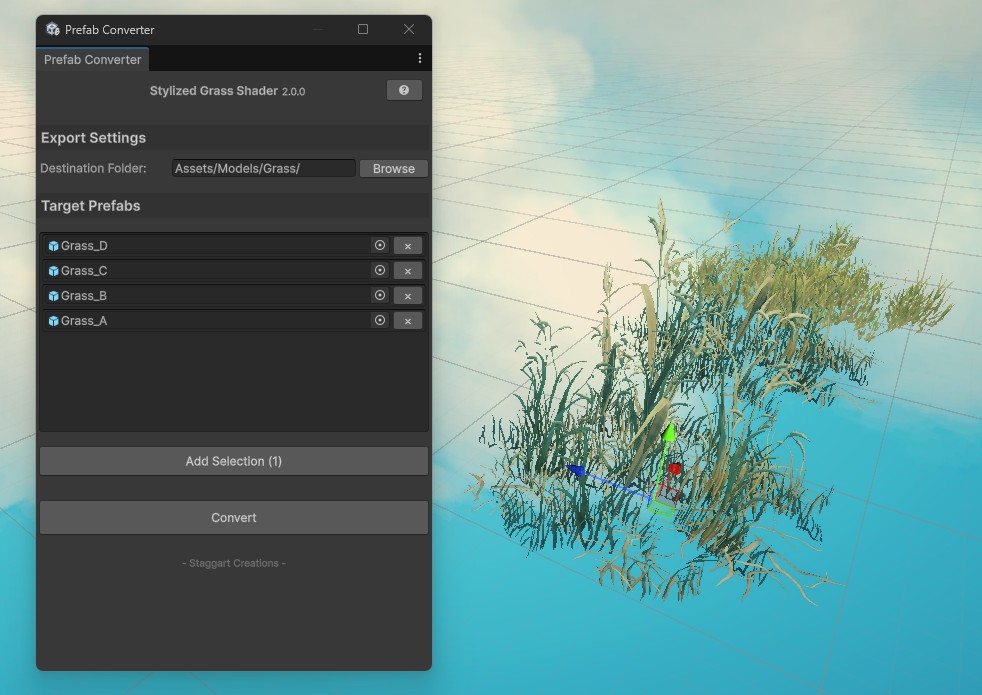
This utility will:
- Bake a height gradient into the RGB vertex color channels of the meshes
- Export the modified meshes to a new FBX file
- Update the prefab to use these new meshes
How to paint vertex colors
For more complex meshes, such as shrubs, baking Ambient Occlusion into the vertex colors usually works well too. Manual painting is doable as well.
You can do this in any 3D modeling tool. Please refer to their manuals on how to achieve this.
 Was this helpful?