
Stylized Water 3 - River Modeler (Extension)


3.2.River Modeler component

This component is a front-end for generating a river from a Spline Container.
Geometry
Settings here control aspects of the mesh generation.
- The vertex density created (edge loops). A high enough vertex count is required to accurately use the displacement effect
- Height displacement, emulates turbulence in the river creating bumps and foam.
Level of Detail
For each river segment mesh an extra set of LODs is generated, which Unity’s renderer will select based on the amount of screen space the segment occupies.
Foam
The controls here determine how slopes (spline sections curving down) are interpreted as foam.
Particle effect generation can also be enabled here.
Transparency
Stylized Water 3 can draw transparency based on vertex colors, which in turn the River Modeler tool procedurally paints on.
These parameters control the range over which the transparency is faded out.
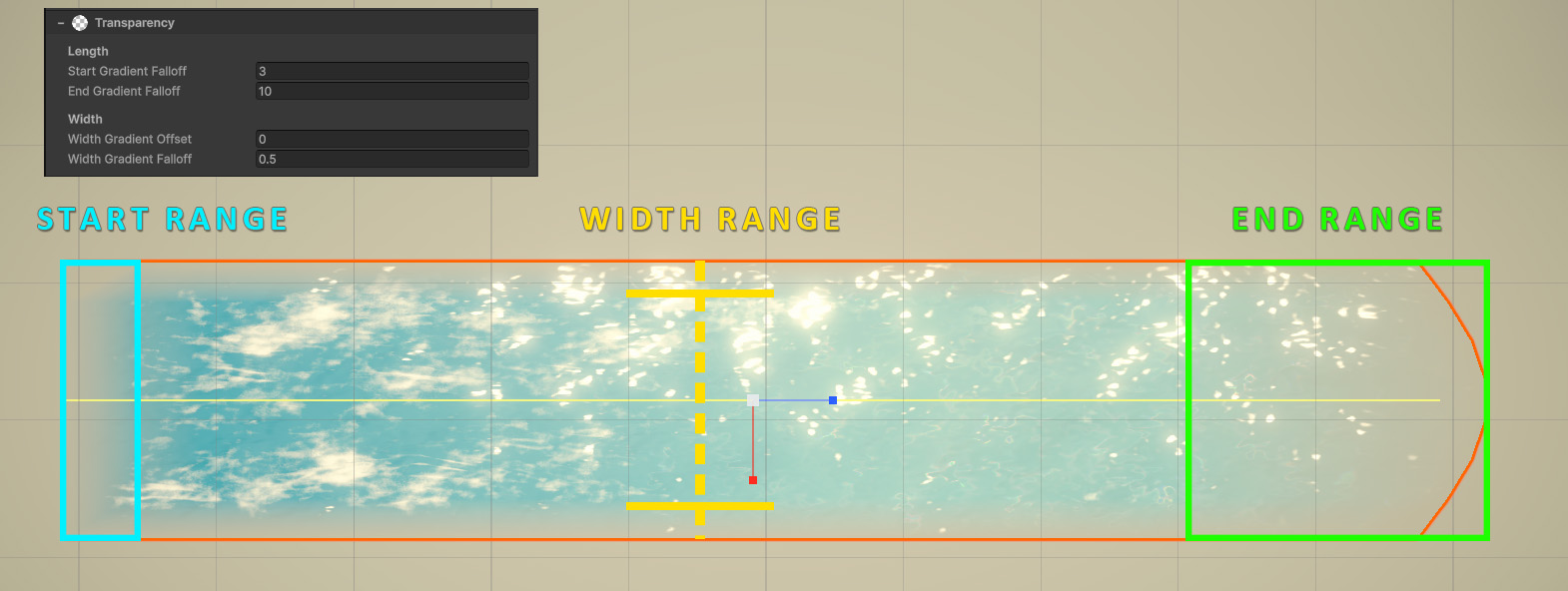
This prevents the edges of the river surface to end abruptly. Particularly the end gradient can be used to blend the river into another water body, such as a lake.
Output
These settings control how the output GameObjects are created and processed.
The Segment Length is a fundamentally important value. Each spline is split up into individual segments of this size, rather than creating one large mesh for it.
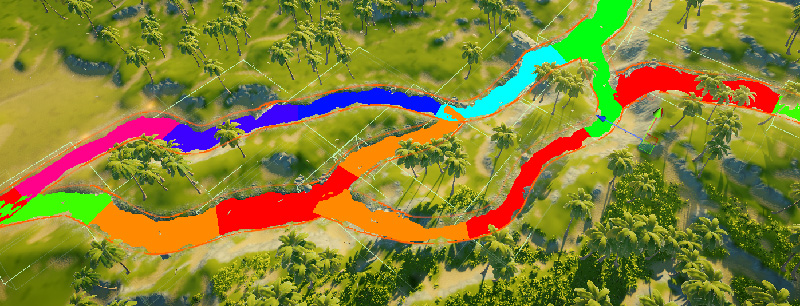
Each color represent an individual segment. This debug view can be toggled.
Segmenting greatly improves performance of:
- Mesh generation, more segments means more parallel threads.
- Culling & Rendering, only visible parts of the river are sent to the GPU for rendering.
- River sampling, only spline segments near the target position are analyzed.
- LOD selection, individual segments can have different LODs active.
- Streaming, individual segment can be (un)loaded by streaming systems.
All in all, the segment length plays a pivotal part in many external system. You can change the value at any time and see what works best for your project.
A minimum of 2 segments are always created, so that there’s a distinct start- and end segment.
MicroVerse
If MicroVerse Splines is installed this section will be visible.
For further details, see this dedicated section.
River Modeler delegates terrain carving and painting to MicroVerse by design. While modifying terrain from a spline is technically straightforward, doing so non-destructively is not viable as a standalone feature.
Terrain heightmap modifications are cumulative. If a spline carves a riverbed and you later move or edit that spline, simply applying the modification again would stack the changes and progressively deepen the terrain. The same issue occurs when other terrain tools modify the terrain in between. Some tools like RAM/EasyRoads advertise terrain carving, but never mention it is impossible to undo and work problem-free with other terrain tools.
Properly solving this requires a deterministic, non-destructive terrain pipeline that can recalculate all modifications from a 0 base state. Effectively becoming a full terrain authoring system, which is grossly out of scope.
MicroVerse already provides this functionality, including spline-based terrain modification, painting and other terrain operations. River Modeler therefore focuses on generating the river itself, while MicroVerse handles the terrain around it.
Events
Two events are exposed that trigger right before- and after the river rebuilds a spline.
These can be used for any number of things, namely executing custom behaviours. For instance updating navmesh data, refreshing baked data or post-processing the created meshes. The sky’s the limit!
 Was this helpful?