
Stylized Water 3 - River Modeler (Extension)


3.5.MicroVerse

When MicroVerse and its Splines module are in installed the following functionality/logic is added to the River Modeler component.
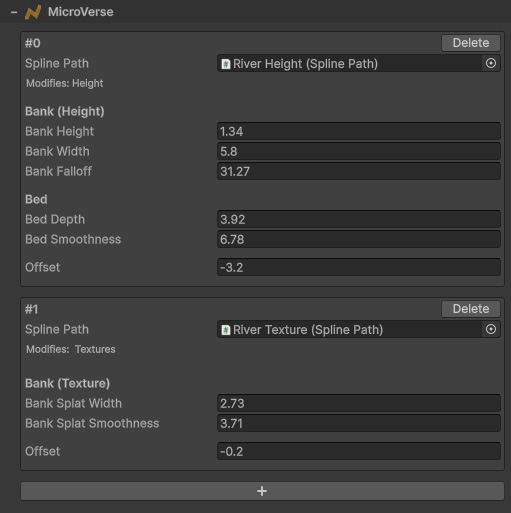
Workflow
MicroVerse and the River Modeler component both react to spline changes. Moving a knot both regenerates the river geometry, and modifies the terrain.
It’s important to understand that the River component controls width, and will therefor also control the width of the Spline Path.
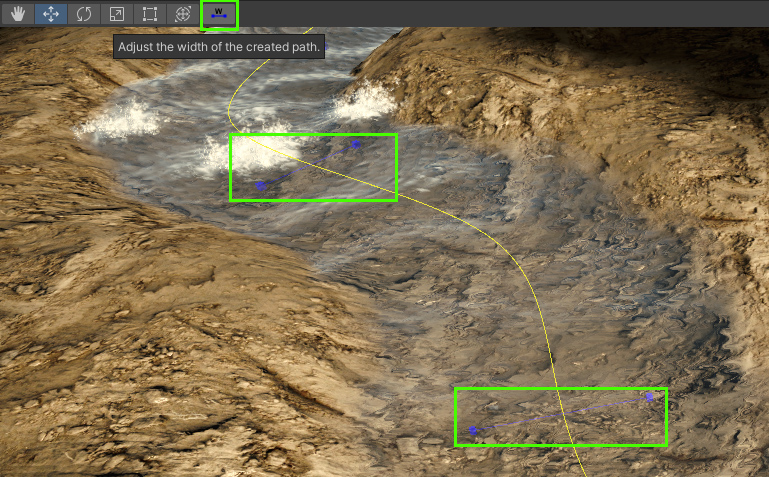
The Width tool (blue handles) should not be used, this data gets overwritten with the Scale data created using the Spline Tool for the river.
Terrain Carving
On the Spline Path component, ensure the “Modify Height Map” option is enabled.
When it is, a height curve is created from the settings to create a river bank and bed in one go:
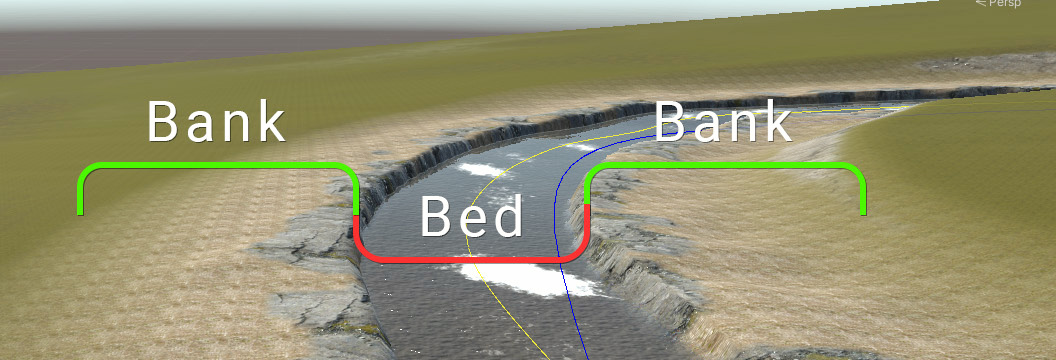
If you find that the river geometry no longer connects to the terrain properly, use a negative Offset value to shrink the width of the bed.
 Was this helpful?