
Stylized Water 3 - River Modeler (Extension)


3.1.Creating a river

Spline Editor
This tool uses Unity’s native spline system. Familiarity with it is assumed here and it is rather straightforward to work with.
You can find a quick-start guide here: Quick start Tutorial video
You’ll need to know how to:
- Create a Spline object
- Use its editor tool
- Insert new knots
Creating a river object
You can use either:
- GameObject->3D Object->Water->River
- GameObject->Spline->River
In the dialog box that pops up, you can choose to create a new Spline as well. Otherwise you can assign an existing Spline Container in the inspector.
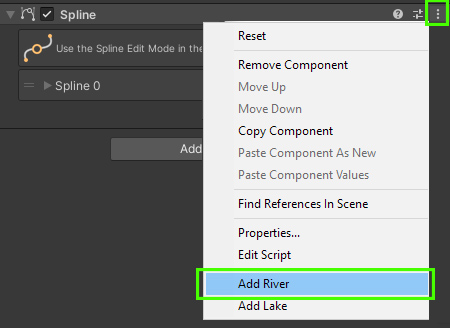
To add a river to an existing Spline Container, an option is available in the component’s context menu
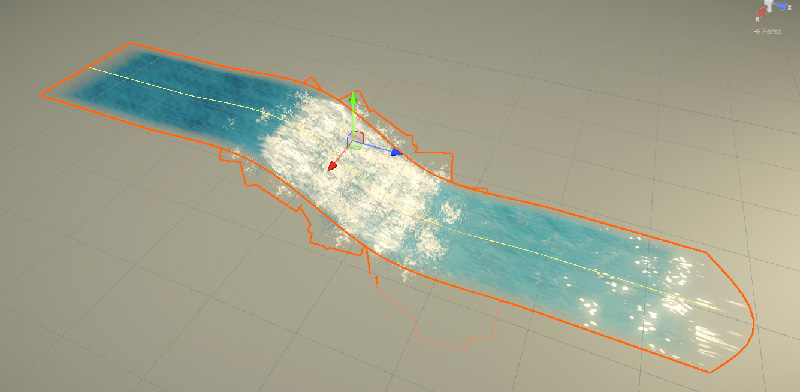
✅ With the new river created, you’ll already notice that the river geometry reacts to the Spline’s shape as you adjust it.
This is the core workflow! But the River Modeler component holds various others settings.
Branching rivers
If the start- or end of a spline is connected to another spline’s knot it is considered a river branch. The modeler will then fade out the transparency of the river branch where it connects.
To connect a river into another one:
- Select the two knots using SHIFT+LEFT CLICK
- RIGHT CLICK in the scene view and choose “Link Knots“
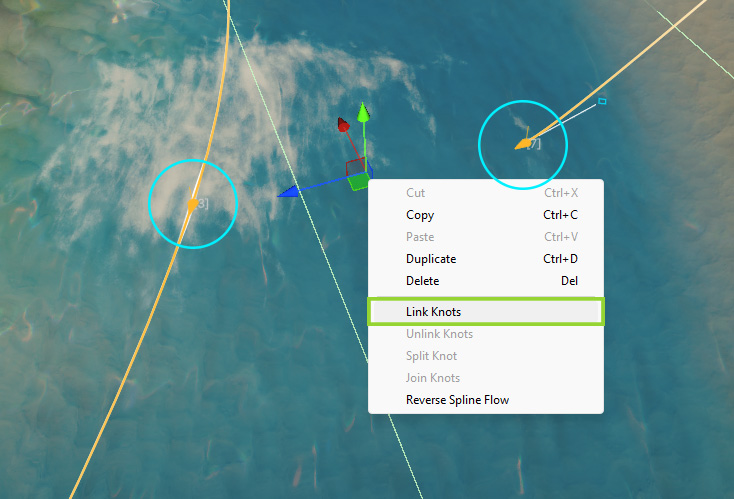
You can later right-click again on the knots and choose “Unlink Knots”
 Was this helpful?