
Stylized Grass Shader (Unity 6)
1.1.Update guide

Updating from 1.4.6 to 2.0.0+
This can be safely achieved without loosing any work!
Many files will have been overwritten, but Unity packages cannot track the deletion/movement of files. You will end up with some files/scripts that no longer belong. Additionally, Unity will wrongly merge the old and new folder together, creating an unfixable wreck of errors.
Steps
- Delete the Stylized Grass Shader folder from the Assets folder (temporarily losing references to assets/scripts)
- Import the Unity 6 version from the package manager (installs as a package)
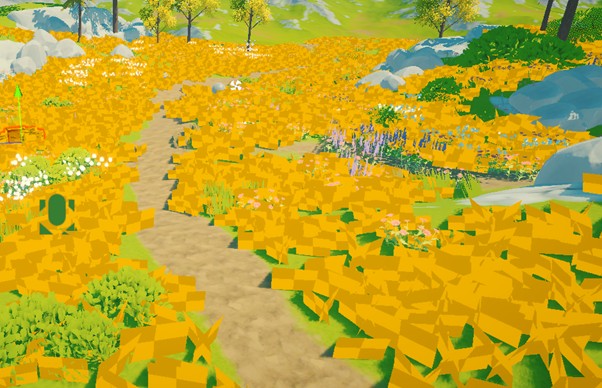
- Observe that some materials in your projects, that were using the grass shader are now pulsing orange.
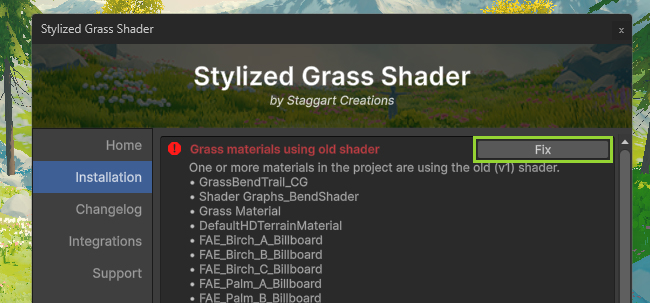
- Go to Window->Stylized Grass->Hub Window (if it doesn’t open automatically)
- Upgrade the materials to new shader
Notes:
- The Render Feature script file has been overwritten, so there’s no need to set it up again!
- Prefabs use the same GUID, so should remain referenced.
- Benders also have been overwritten, so are retained.
- Colormaps (not saved to a file) will have been cleared, you can simply rebake them.
Key changes
- The asset is now in the UPM format, and installs as a Package.
- Script namespace has changed from “StylizedGrass” to “sc.stylizedgrass.runtime”
- The Stylized Grass Renderer script has been transformed into a Wind Controller.
 Was this helpful?
5 of 5 users found this section helpful
If you're familiar with this asset, please consider leaving a review!
Your support is what makes complementary updates possible!