
Stylized Grass Shader (Unity 6)
3.Getting started

Importing
At all times you must ensure your project is free of any console errors. Unresolved code errors will prevent this asset’s scripts from compiling. This results in all of its functionality remaining unavailable.
Project Setup
Should you use an incompatible Unity version, or the render feature isn’t set up an installer will appear.
Go to Window->Stylized Grass->Hub Window
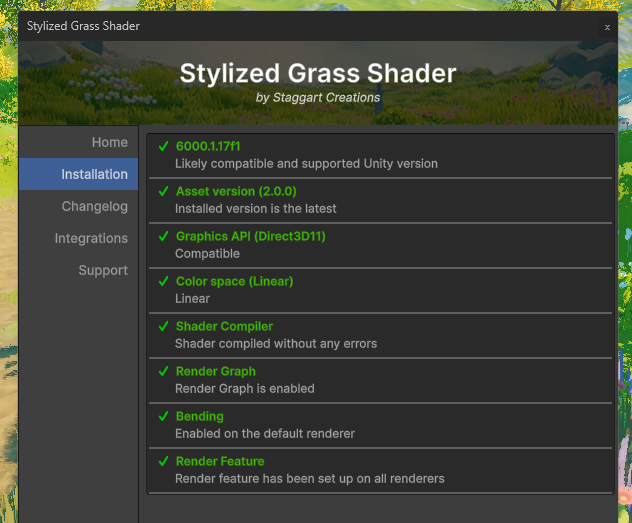
Should anything not check out warnings or error (with a Fix button) will appear here.
Examples
Go to Window/Stylized Grass/Open demo scene to view the demo scene. It showcases the shader in action. This is a good place to try and experiment with the different shader parameters.
Prefabs
The included prefabs are the main way to use this asset. They can be found in the Packages/Stylized Grass/Prefabs folder
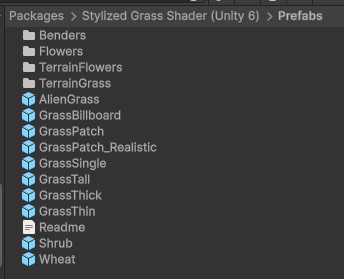
Though the shader can be applied to any custom mesh!
Other topics:
 Was this helpful?
0 of 0 users found this section helpful
If you're familiar with this asset, please consider leaving a review!
Your support is what makes complementary updates possible!