
Pro Version upgrade
Spline Mesher 1.0 has become Spline Mesher Standard. An upgrade discount to pro is available.

3.1.Mesh preparation

Any mesh you wish to deform along a spline needs to meet a few basic standards.
Orientation
Corners of the internet are riddled with discussions about whether the Y- or Z-axis is considered “up”.

Unity uses a left-handed coordinate system, so you are on team “Y”. This means that the Z-axis is considered the forward/back direction, the Y-axis up/down, and the X-axis right/left.
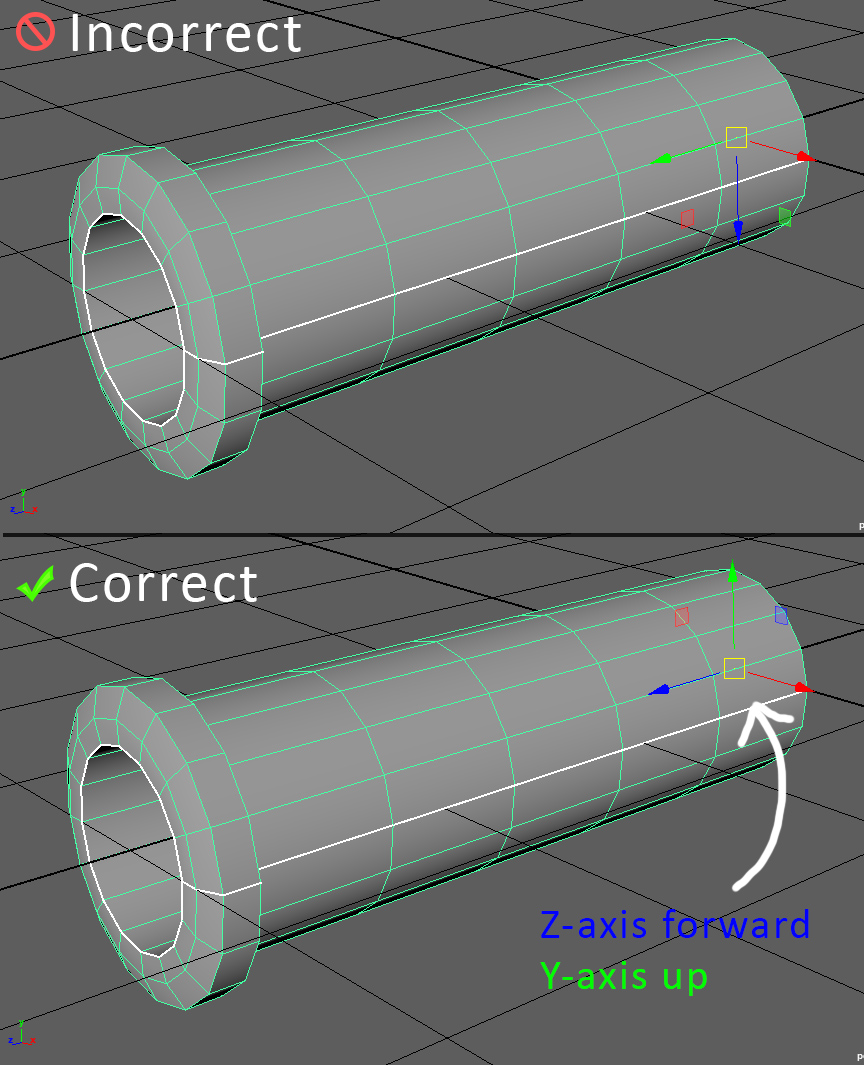
Basically, assets that are to be used in Unity already need to adhere to this standard. Using a child-object and rotating it -90 on the X-axis is considered bad practice, and does not work in the context of reading a mesh’s data in code.
Topology
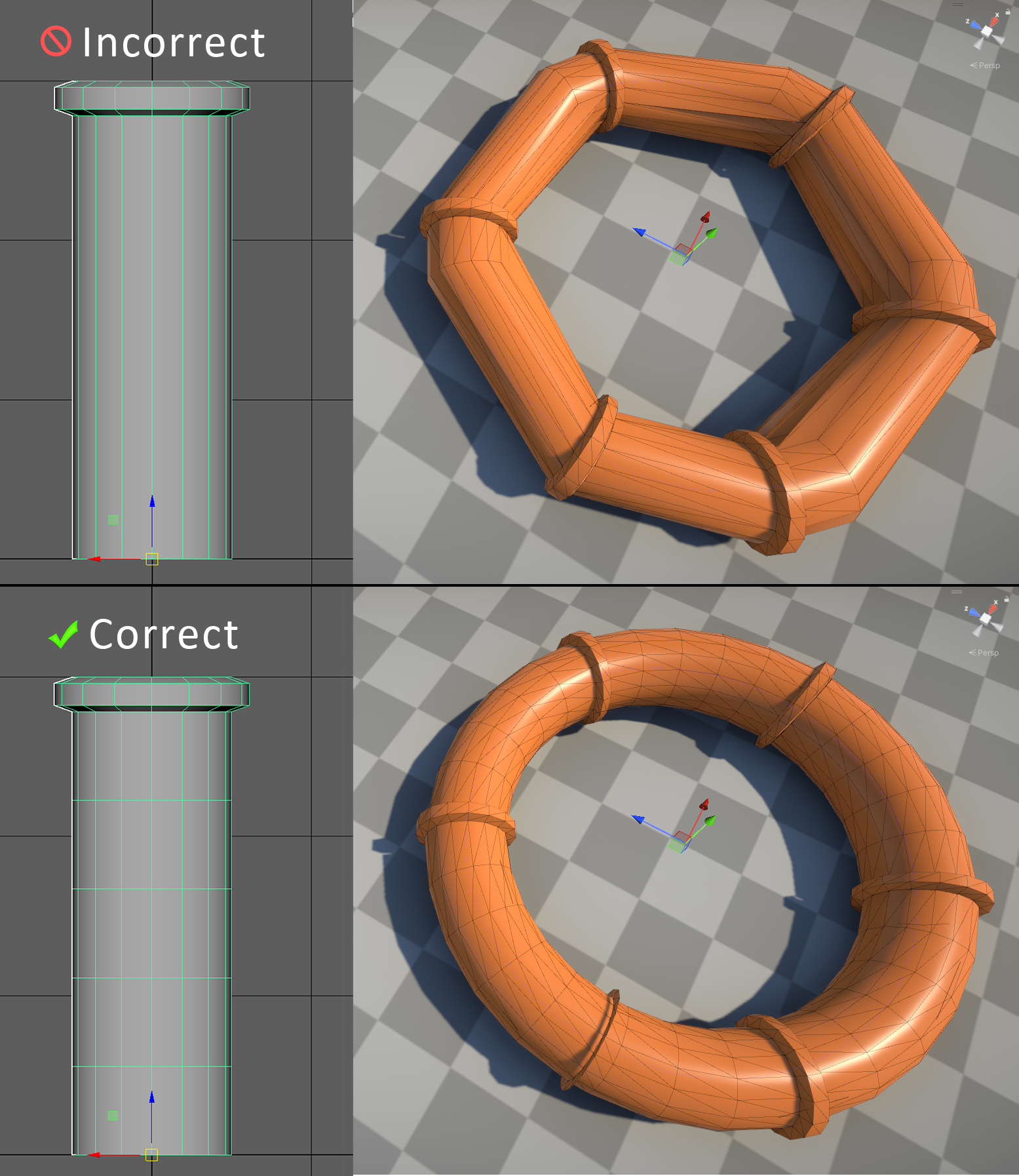
Because the mesh needs to be able to bend, it requires a topology that allows for this.
If it has long faces adding a few subdivions is sufficient.
 Was this helpful?