
Stylized Water 3 - River Modeler (Extension)


3.3.Audio Streaming

This asset ships with complete audio functionality.
As the river is generated the spline’s slope and the amount of turbulence (Geometry section: displacement) is anaylized.
- If a section has some turbulence it is considered Rapids
- If a section is a slope is it a Cascade
- Otherwise it is a Stream
In the project you’ll find a default Audio Profile that defines the sound clips and properties for these 3 types.
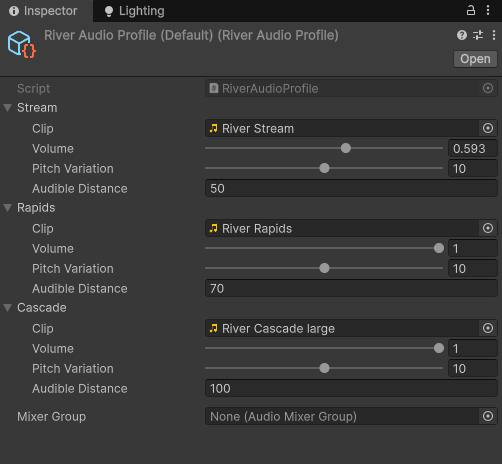
You can of course use your own audio clips here. Or use a different profile for different rivers.
River Audio Manager
This component is required, as it handles the runtime pooling of Audio Source components.
Create one through GameObject->Audio->River Audio Manager
At runtime it:
- Polls all active river segments
- Checks if the Audio Listener is entering or leaving its audible range
- Assigns Audio Source component to it, and sets up the appropriate audio clips
- Or releases Audio Source component used by it back to the pool
In play mode you’ll see the audible segments draw as yellow surfaces.
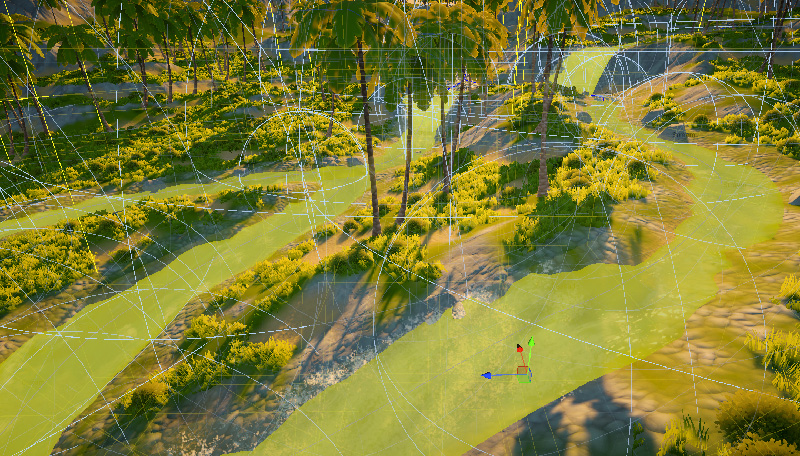
Support for FMOD is not included, mainly because a smaller userbase makes use of this. If this is of importance to your project, please feel free to make this know so it can be considered!
 Was this helpful?