

6.Timeline

This asset comes with extra Timeline functionality. Namely the ability to add a Post Processing Track with Profile Playables.
Using profiles on a timeline allows for creating complex sequences or controlling effects for cutscenes.
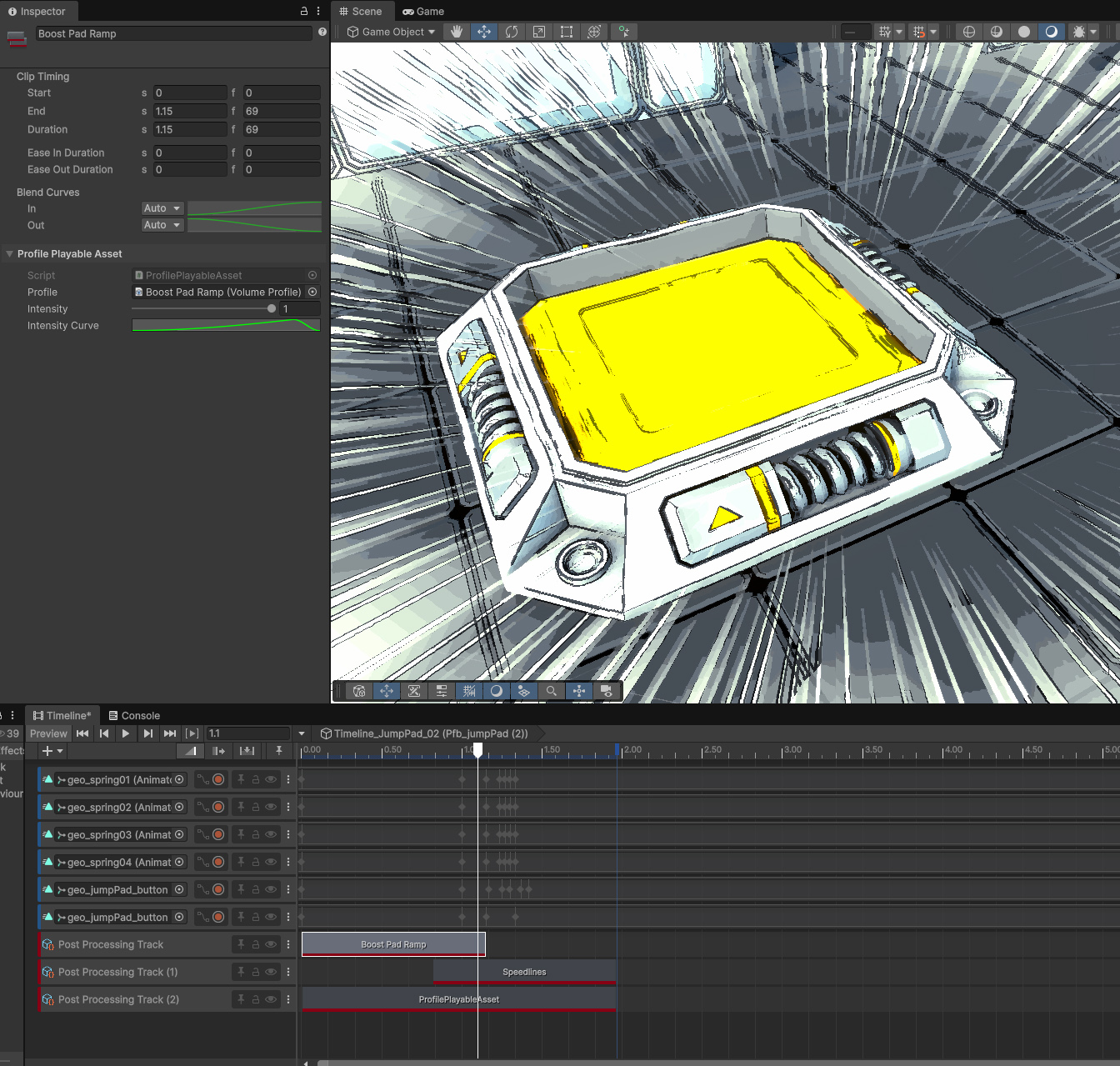
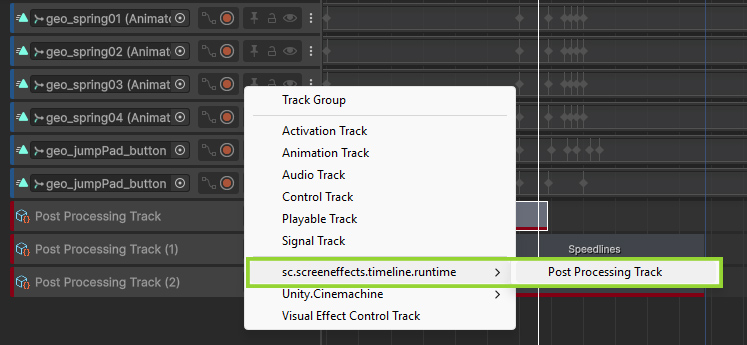
You can do so by right-clicking on the timeline then adding a Post Processing Track
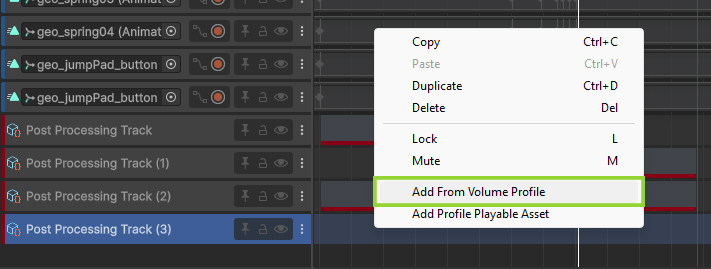
After which, you can right-click on the track and add clip from a selected Volume Profile.
 Was this helpful?
0 of 0 users found this section helpful
If you're familiar with this asset, please consider leaving a review!
Your support is what makes complementary updates possible!