
Stylized Grass Shader (Unity 6)
5.2.Blending with terrain colors

The grass has the ability to seamlessly blend in with the underlying terrain’s color. This can also be seen in many AAA games nowadays.
Setup
The following steps can be followed to set this up:
Step 1
Select a GameObject (or create an empty one) and go to Add Component -> Stylized Grass -> Color Map Renderer
Step 2
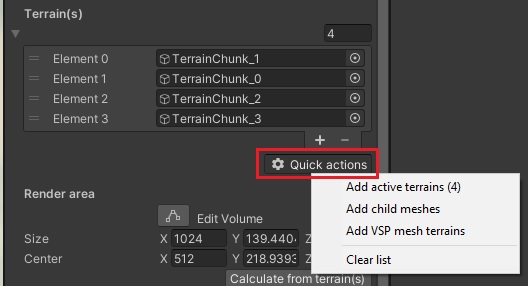
Assign your terrain GameObjects (these can also be mesh terrain tiles). You can use the “Quick actions” button to automatically assign them
Step 3
Set the size of the render area in which the colormap texture will be captured.
The “Calculate from terrain(s)” button will automatically calculate an area from the terrain objects.
With the component selected, you’ll notice a blue box encompassing your terrain(s), this represents the Render Area.
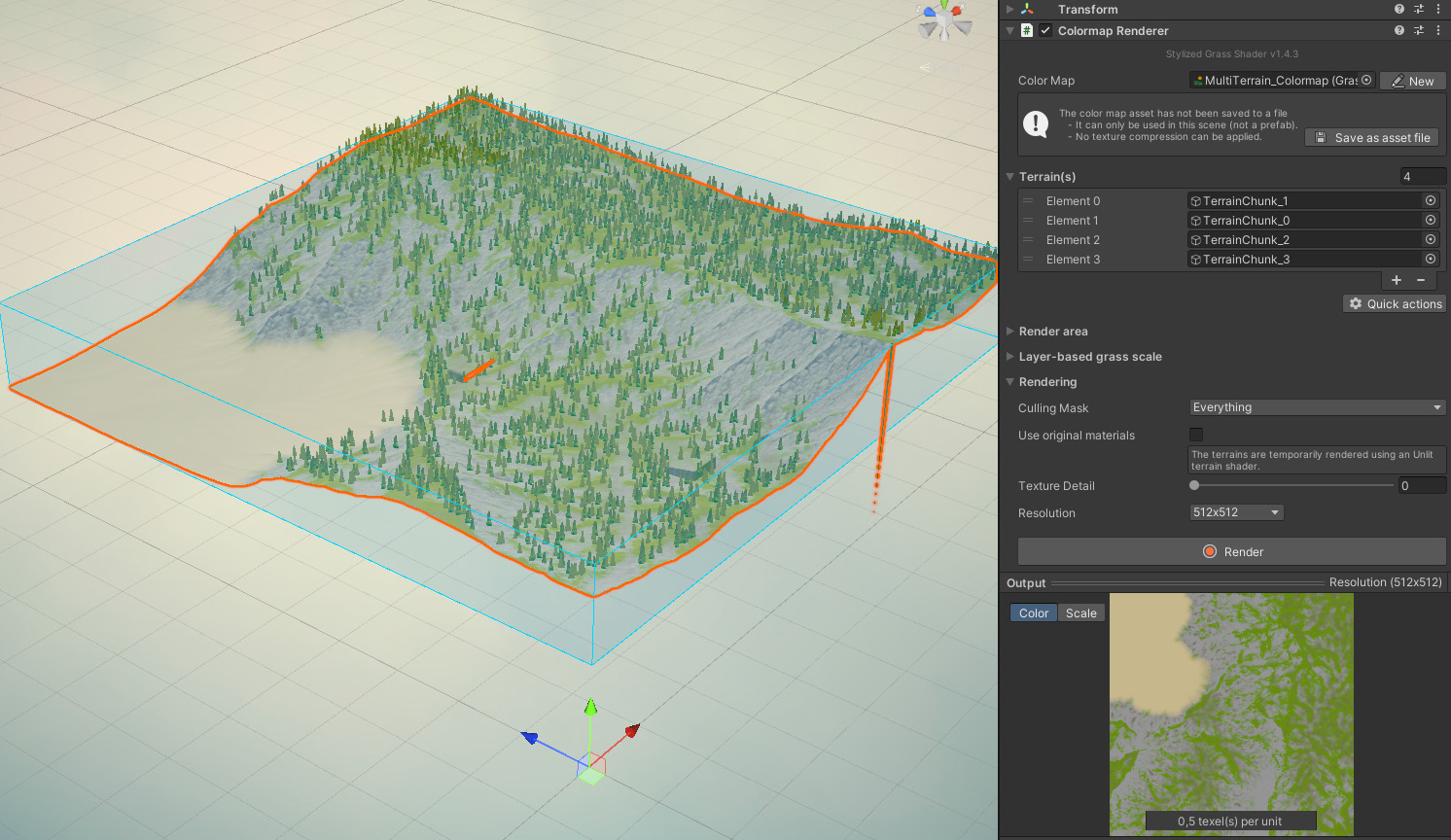
Anything outside of the area will appear as red in the final texture map. If some parts of the rendered texture appear red, make sure the Render Area encompasses your terrain correctly.
It doesn’t have to be a perfect fit! Feel free to pad the top and the bottom of the volume (internally, a padding of 3 units is always used just to be sure)
Step 4
Click the “Render” button.
The rendered colormap will automatically be activated and you’ll see it apply to the grass materials.
Notes
- If you are using a terrain shader which differs from standard shading (eg toon/flat shading) the color blending cannot be accurate. Both the grass and the default terrain shader share the same lighting model, which is part of which makes the blending possible.
- It works best when the terrain materials don’t have a lot of high-frequency details.
- In order for the color map to apply at runtime, this
Color Map Renderercomponent must be present. Since this will load it into shaderland in its OnEnable() function.
Limitations
- Only one color map can be active at a time, and affects all grass materials globally.
- Glossiness of terrain materials (eg wet stone or puddles) cannot be blended into the grass, since these effects depend on the viewing angle.
- The color map is rendered in a top-down fashion, so color from overhanging objects will project down onto any grass below them.
- Because a texture is required to be baked, the maximum viable terrain size is 4x4km, requiring an 8K color map (yielding 2 texels per unit).
 Was this helpful?