
Building the world of Lake: Shading
Characters
At the forefront of the character design stood Sonja van Vuren, her joining the team was a pivotal moment. As the direction for the character’s appearance really started to take shape. The design and production of characters is quite a subject in its own right. You can view a presentation from LudoNarraCon 2021 on YouTube, which is worth a look!
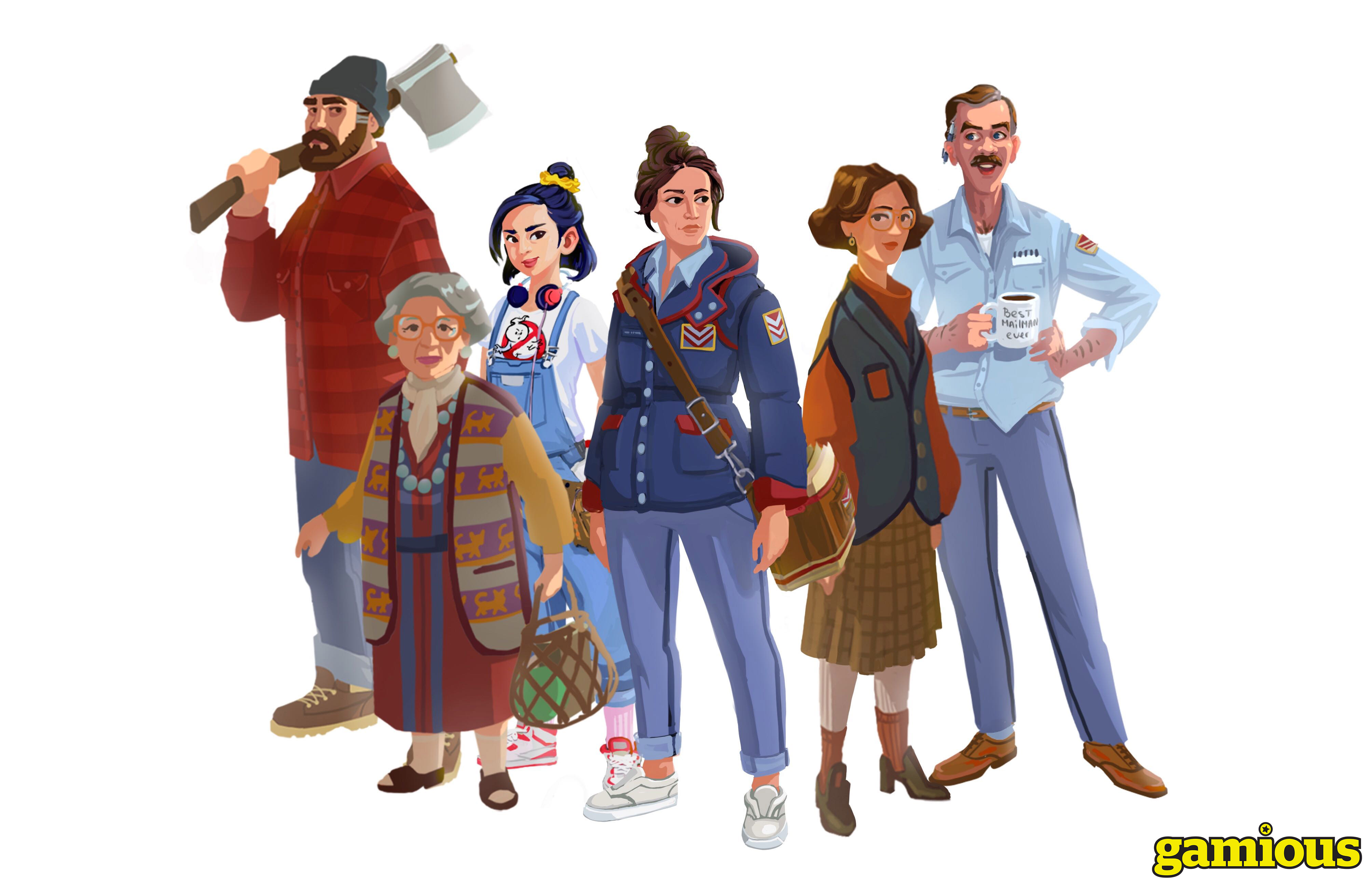
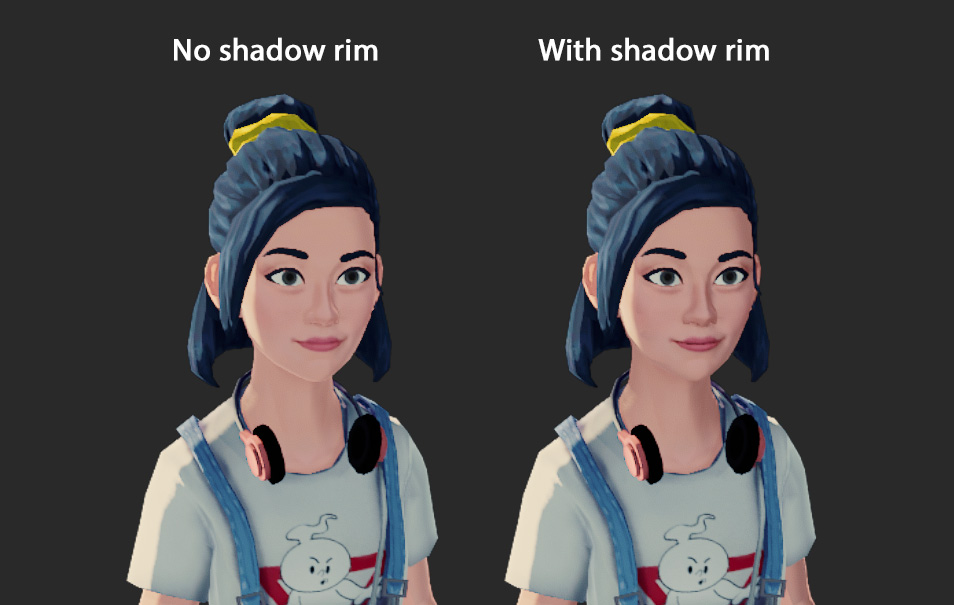
The desire was voiced to try and make the shading approach the same style as the concept art. This could be characterized by harsh transitions between direct- and indirect lighting and shadows. Other features such as backlight rim shading were added as the ideas arised.
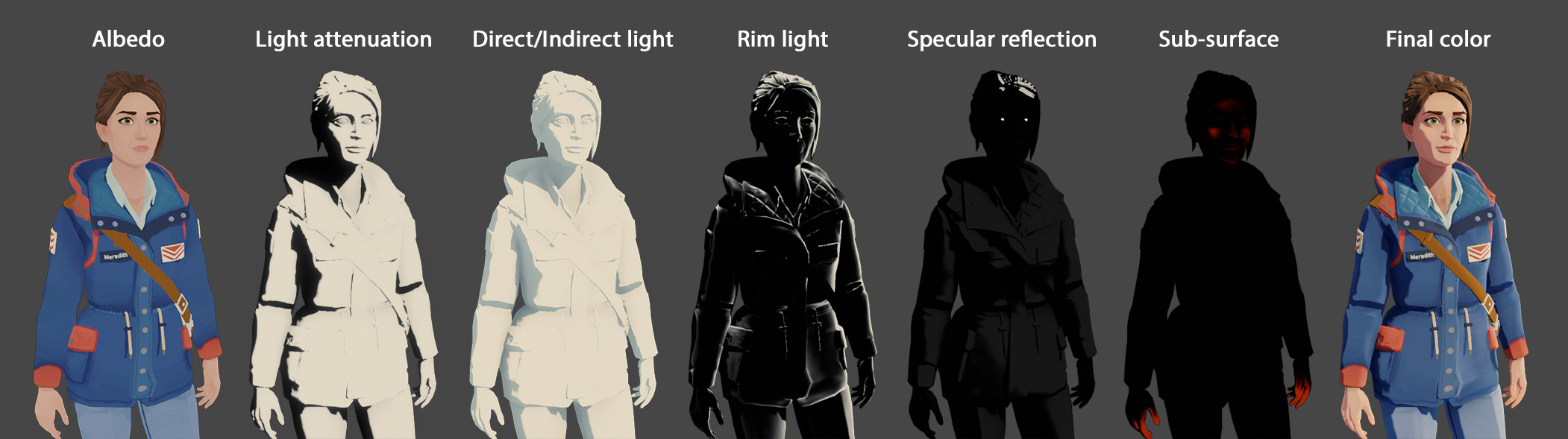
The character shader is one of the few shaders in the game that exclusively renders in Forward shading. This is because the shadow map (aka light attenuation) is required to be used various effects (eg. masking the specular reflections).

Seeing as the environment can be lit based on different times of day, characters were inherently affected by this. Down the line, this created some danger zones when characters were indoors at dusk or dawn, causing them to appear with a strong blue tint. For indoor scenes, the ambient light color received needed to be consistent with the room.
Unity’s light probes are a prime solution for this, since they can store a light sample at any point in the world, and transfer it onto dynamic objects. Unfortunately, this is a strict part of the Global Illumination system, which is is hindered by both practical- and technical limitations when it comes to large, multi-scene environments. The idea came to mind to recreate a similar system, specifically for characters, dubbed “ambient probes”.
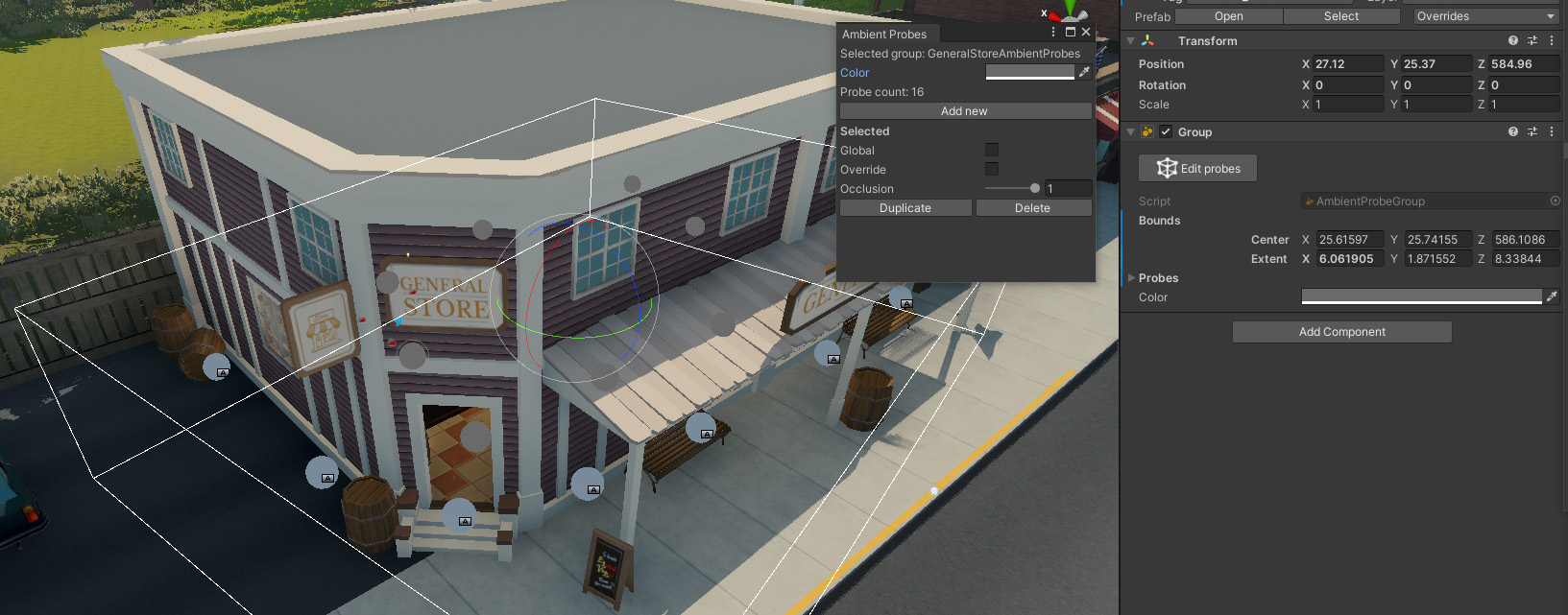
The functionality allows probes to be placed in select areas, and give them a color. Or set them as “global”, after which they’ll simply pass on the current (outdoor) ambient light color.
As a character moves around in the volume, the color between the two nearest probes is interpolated and passed on as a color value through a MaterialPropertyBlock. Since the character shader uses a custom lighting model anyway, incorporating a custom ambient light color was very straightforward. A public repository is set up here, should you be curious about the inner workings. It is not a complete solution, but works perfectly for the needs in Lake.
Characters could then be consistently lit when indoors, and transition back to normal shading as they leave the volume.
Shown left is a character with ambient probes enabled, on the right it is disabled.
Could have’s
Transparency for water
This would have greatly improved shorelines with a color gradient and distortion effects. Enabling this makes Ambient Occlusion visible through the water, and fog could no longer shade the surface. Which applies to any transparent surface in the game.
This could have been solved by incorporating the screen-space AO texture into every shader directly. For fog, the same applies, but involved a tangent into refactoring the shading code to be more abstract and generally applicable.
Persisent foliage bending
The terrain was too large to render out a single